
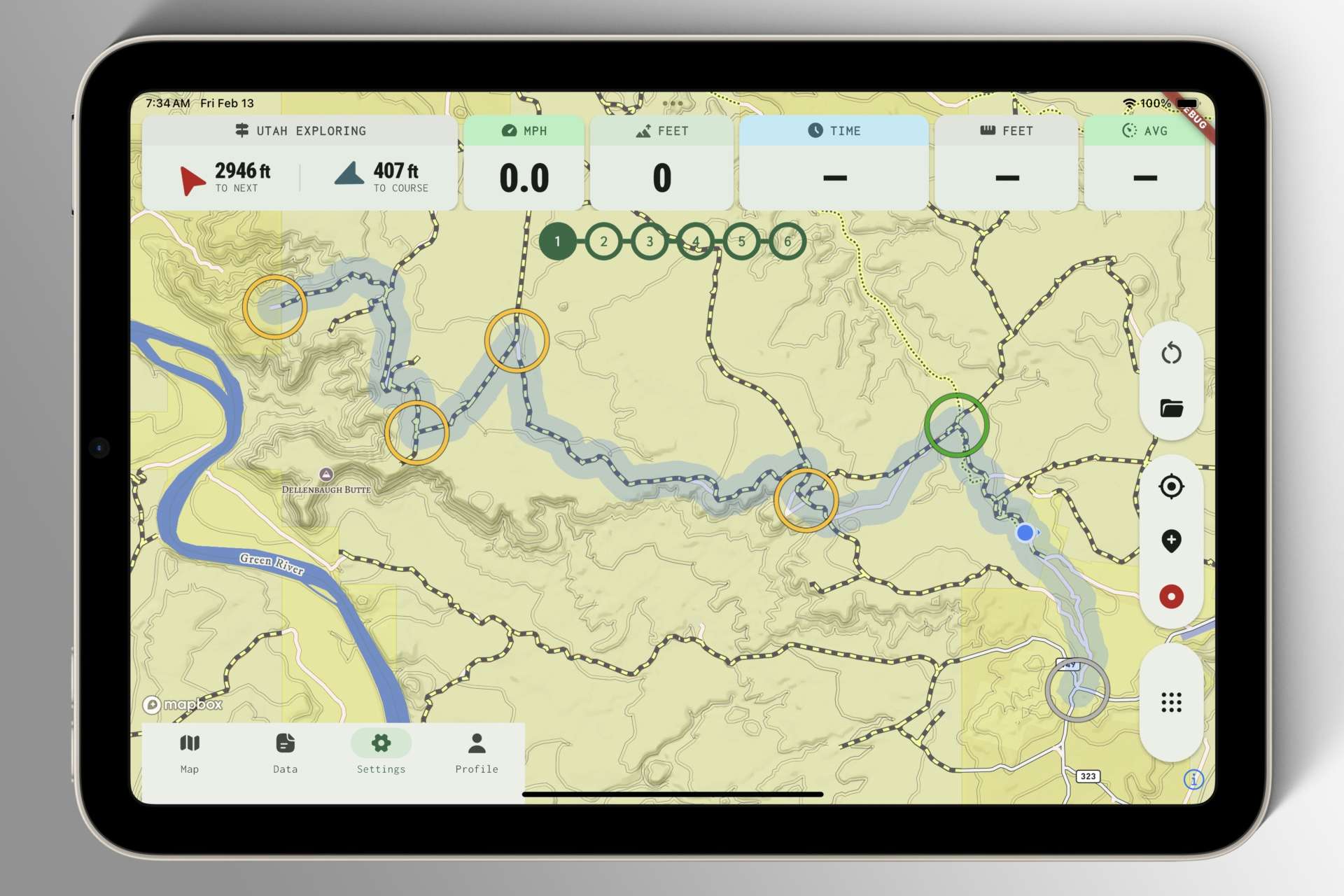
Last week, we answered the question, “How do we create routes?”
This week, we’re attempting to answer the question, “How do we use them?”
First, a disclaimer about the screenshot — this feature didn’t exist a week ago, and while I think it reflects where we’re heading with the concept, the user interface isn’t quite there yet. It’ll evolve as we test!
I think the key components of the “Active Route” concept are proximity-gated route points that make the app aware of your progress along a planned route. This foundation enables us to associate events or configurable triggers with each gate that’s passed, opening the door to a lot of cool ideas.
Routes can be used very formally for detailed trip planning, or very casually for vague exploration, since it isn’t essential that you strictly adhere to the path. For instance, if you get sidetracked and decide to skip a few route points, a single tap on the progress bar will instantly fast-forward or rewind its completion status to wherever you wish.