
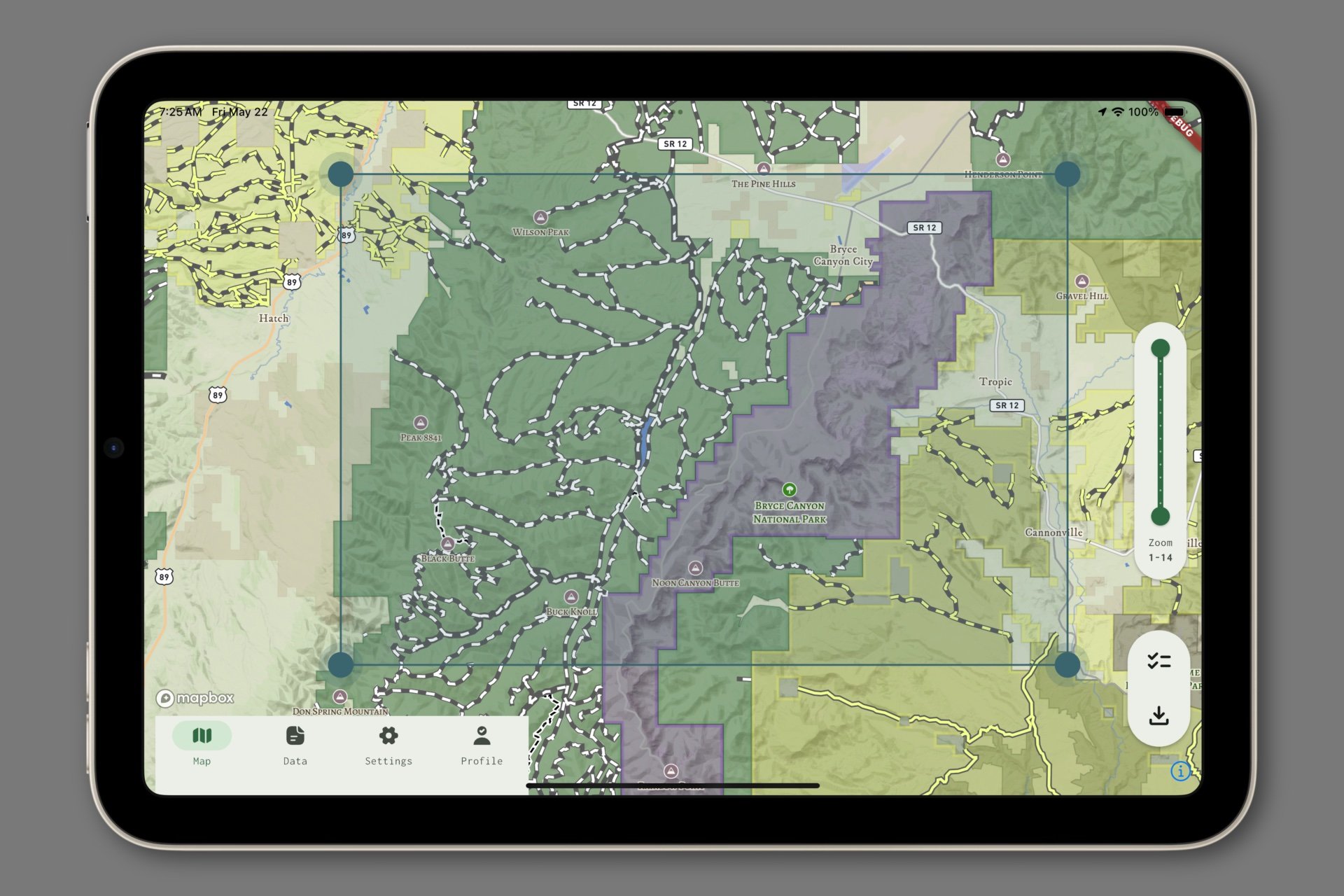
In earlier versions, offline download areas were selected simply by capturing whatever parts of the map were visible in the viewport. While this was fine, and certainly simple, it felt vague in execution, and the user had no control of the aspect ratio or shape of the selected area.
This week, we introduced the ability to specify offline download areas using draggable, resizable boxes. This intuitive interaction is pretty much standard fare for specifying an offline region, and it’s always been in the pipe, but our SDK didn’t support annotation dragging until relatively recently. We’re thrilled to finally have it implemented and working well!
The offline maps functionality offered by Mapbox is a bit of a black box…
The user passes in bounds. Then Mapbox returns the styles and the tiles that fit those bounds at the specified detail levels, stores and retrieves the local data as it sees fit, and it just works. I’ve tested it in the field on a number of occasions, and it’s both wonderfully effective and invisible.
We’re not done with the offline maps feature, because there are a lot of opportunities to improve usability, but custom geometry for download areas is a step in the right direction!