
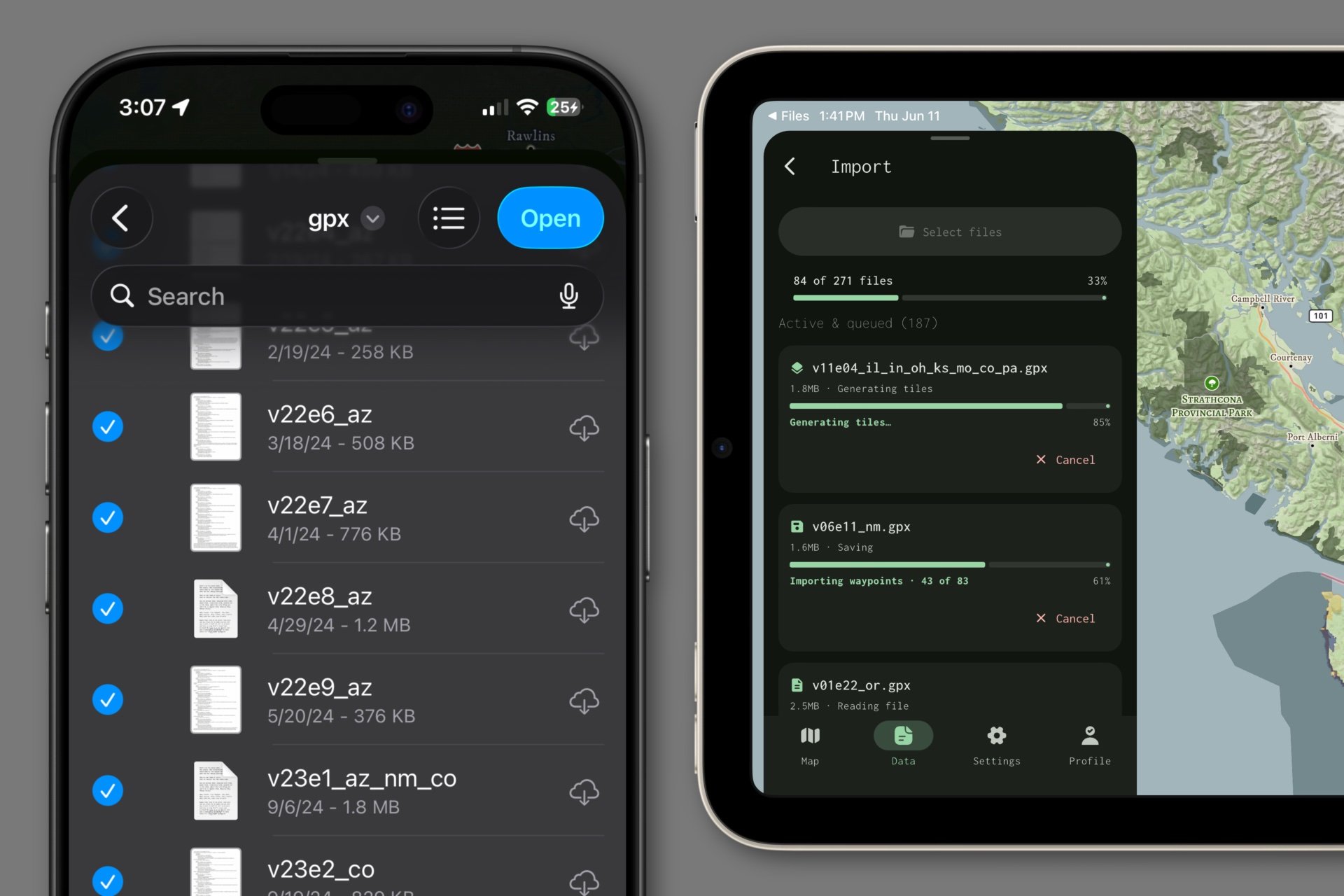
When development commenced for the Mapkind GPS mobile app, one of my primary motivations was to build an app that could handle abnormally large volumes of data. In another blog post, I talked about how we render all of that data, but how does the app ingest it?
In all likelihood, you’ve already been using some other GPS app for quite some time. In which case, you probably have a lot of data from earlier adventures saved in that app, just like I did.
Fortunately, that’s why the GPX standard exists. It’s a portable file format, like a suitcase, that you can use to carry your valuable GPS data from one app to another. This functionality is well-supported in the GPS industry, but what sets Mapkind GPS apart is our tolerance of volume.
We’ve designed Mapkind GPS to gracefully handle bulk import of numerous, meaty GPX files.
Some GPS apps only allow the import of one GPX file at a time, while others support multiple files, but with unreliable outcomes. These were frustrating shortcomings that I encountered a lot as a GPS app user, so from the outset of development, I made it a priority to solve them.
Right now, I’m testing with my personal data set which consists of 271 GPX files (374 MB), and they import cleanly, in one shot, on both a 6th generation iPad mini, and on my iPhone 15 Pro.
We’re still making optimizations and doing more testing, but we’re thrilled with how well it’s working.